
Dashboards & clear explanations.
Turn checked analysis into a clear dashboard, useful comparisons and an explanation someone can act on.
Northstar Shop
From checked analysis
to a dashboard people can use.
A clear dashboard.
An explanation that helps.
Define the reader and measures, design useful comparisons, then build consistent filter states and a concise decision note. Every lesson includes an explanation, practical task and worked solution.
Before you start: Use Module 4’s verified April–May extract and metric definitions. A local spreadsheet or dashboard tool is enough. The offline HTML reference is optional; no coding, account or paid software is required to read the lessons.
Allow about six hours including exercises. The suggested times are flexible. Keep your work locally; no upload or payment is required.
Reuse Module 4’s verified April–May extract. The downloadable worked dashboard includes period/channel filters, explicit comparison limits, an empty practice view and an inspectable source table. It is a static learning snapshot.
7 lessons. One complete piece of work.
Start with the reader, decision and metric contract
Write a dashboard brief for a specific decision.
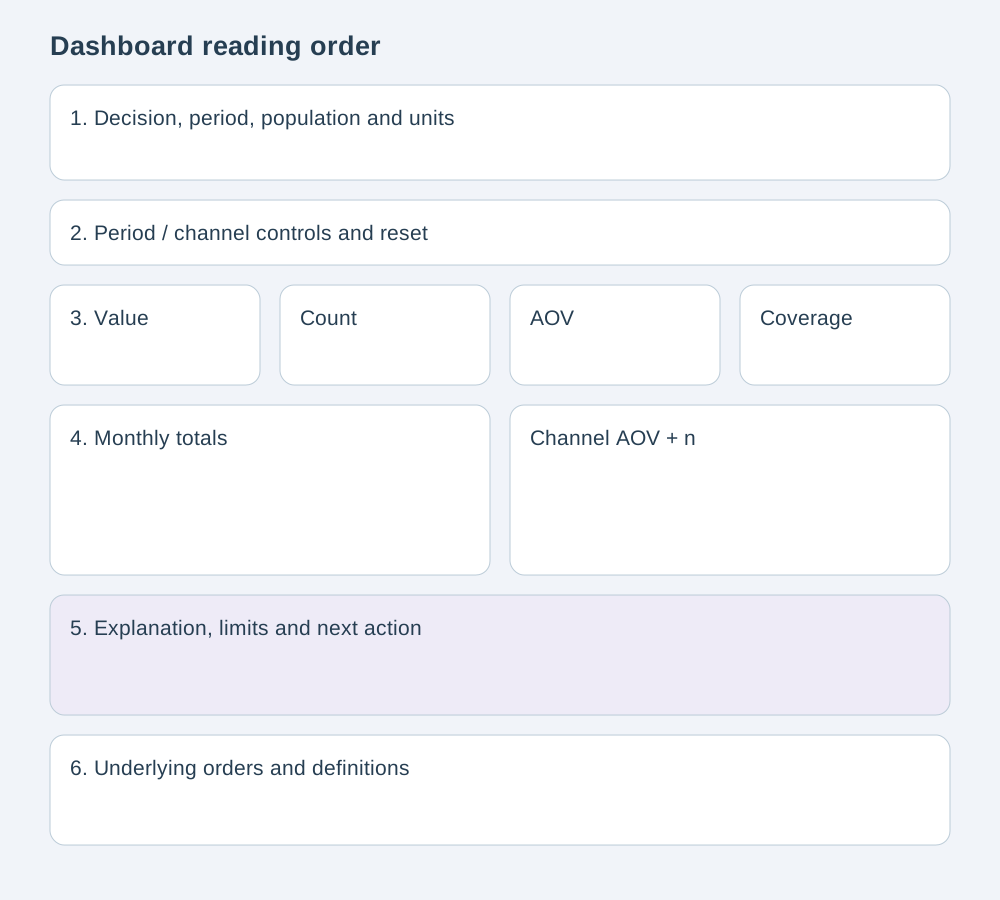
Build a clear reading order before styling
Turn a decision brief into a compact wireframe.
Choose charts that preserve the comparison
Match visual form to the analytical question.
Make filters, comparisons and empty states consistent
Apply one filter contract across cards, charts, tables and text.
Write explanations that match the selected evidence
Connect an observation to context, limitations and a next action.
Review calculations, accessibility and refresh claims
Test source-to-dashboard reconciliation and interaction states.
Deliver a dashboard and a concise stakeholder walkthrough
Build a complete dashboard from the verified practice source.
Your dashboard.
A practical way to begin.
Start with the learner scaffold, brief and verified CSV. Build in a local tool, then open the separate working HTML solution to compare filters, calculations and explanations.
The worked dashboard runs offline on embedded data. A neighbouring CSV does not refresh that file. The learner scaffold has no working controls or calculations; use it as a layout starting point. All records are fictional.
Can someone reproduce your answer?
Use the final lesson's 10-point rubric to review your work. A suggested target is 8 points, with no zero in metric correctness or interaction states and no unsupported causal claim. This is a self-review guide, not an accredited or automatically verified assessment.
Begin Module 05 →Continue to Module 06: A guided portfolio project →
Self-learning is free. Verify your email for protected practice materials; optional support never affects access.